A badge with personality.
Tap your avatar and watch it respond. A quick hello feels like you.
A digital convention badge for your fursona
Bring your avatar, your details, and a QR code you control. SonaPin turns your iPhone into a badge people can see, tap, and scan.
Made for iPhone and iPad · iOS 18+ · Read the SonaPin docs
Your profile stays on your device. No account or ads.
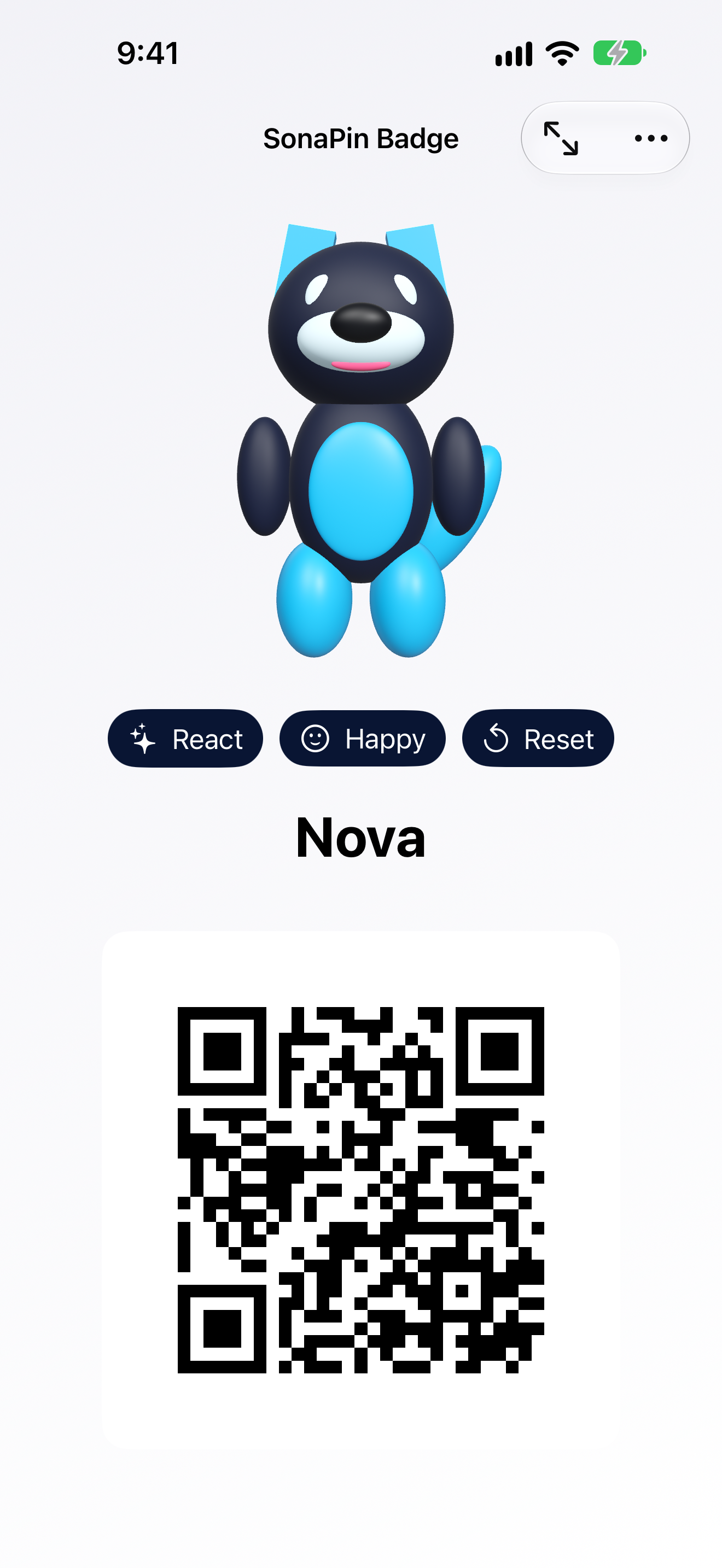
Actual SonaPin screen · See your badge
01 / The badge
Everything someone needs to meet you, with the fursona they came to see.
Tap your avatar and watch it respond. A quick hello feels like you.
Import a compatible VRM from Files, or start with the built-in demo wolf.
Put your name, pronouns, and QR link right on your badge.
Your profile and avatar stay on your device. No account, ads, or tracking.
02 / Make it yours
Set up once. Then let your badge do the introductions.
Start with the demo wolf or import your VRM fursona.
Choose your display name, pronouns, and QR destination.
Open badge mode, react to taps, and share a link with a scan.
SonaPin docs
Browse the setup guide, privacy details, and quick fixes for QR codes and avatars.
No. SonaPin includes an interactive blue wolf. You can import a compatible VRM whenever you’re ready.
You choose a website, social profile, contact card, or custom text. Preview it and scan it with another phone before you share your badge.
Your badge details and imported avatar are kept on your device. Read the privacy policy for details about optional crash reports in Sentry-enabled builds.
TestFlight release active
SonaPin 1.0 is in private TestFlight testing. The public App Store listing is in progress. Explore the guide or follow the open-source project.